
Zodiac eXO iQ Wi-Fi control panel
Version: original eXO iQ Wi-Fi
Control panel for the original Wi-Fi-equipped eXO iQ. Compare the label, connectors and revision; it is not automatically substituted for the newer eXO iQ R panel.
Catalogue reference: WR0822300.


Pool specialist’s view
Control panel for the original Wi-Fi-equipped eXO iQ. An unreadable or inactive display does not necessarily mean the whole chlorinator has failed. Check power, the connecting cable and the exact control-panel version before choosing a replacement.
Zodiac eXO iQ Wi-Fi control panel
Control panel for the original Wi-Fi-equipped eXO iQ. Compare the label, connectors and revision; it is not automatically substituted for the newer eXO iQ R panel.
Identification and selection
Version: original eXO iQ Wi-Fi
Catalogue reference: WR0822300
Replacement and checks
Switch off and disconnect power before servicing. Have a qualified technician diagnose and replace electrical components, compare the wiring, connector version and specific unit revision, and verify correct operation afterwards.
If unsure about the version, send photos of the original component and equipment label to info@chemie-bazen.cz.
Position in the assembly
The blue arrow identifies the component in the original drawing. The unmarked original is retained in the gallery.
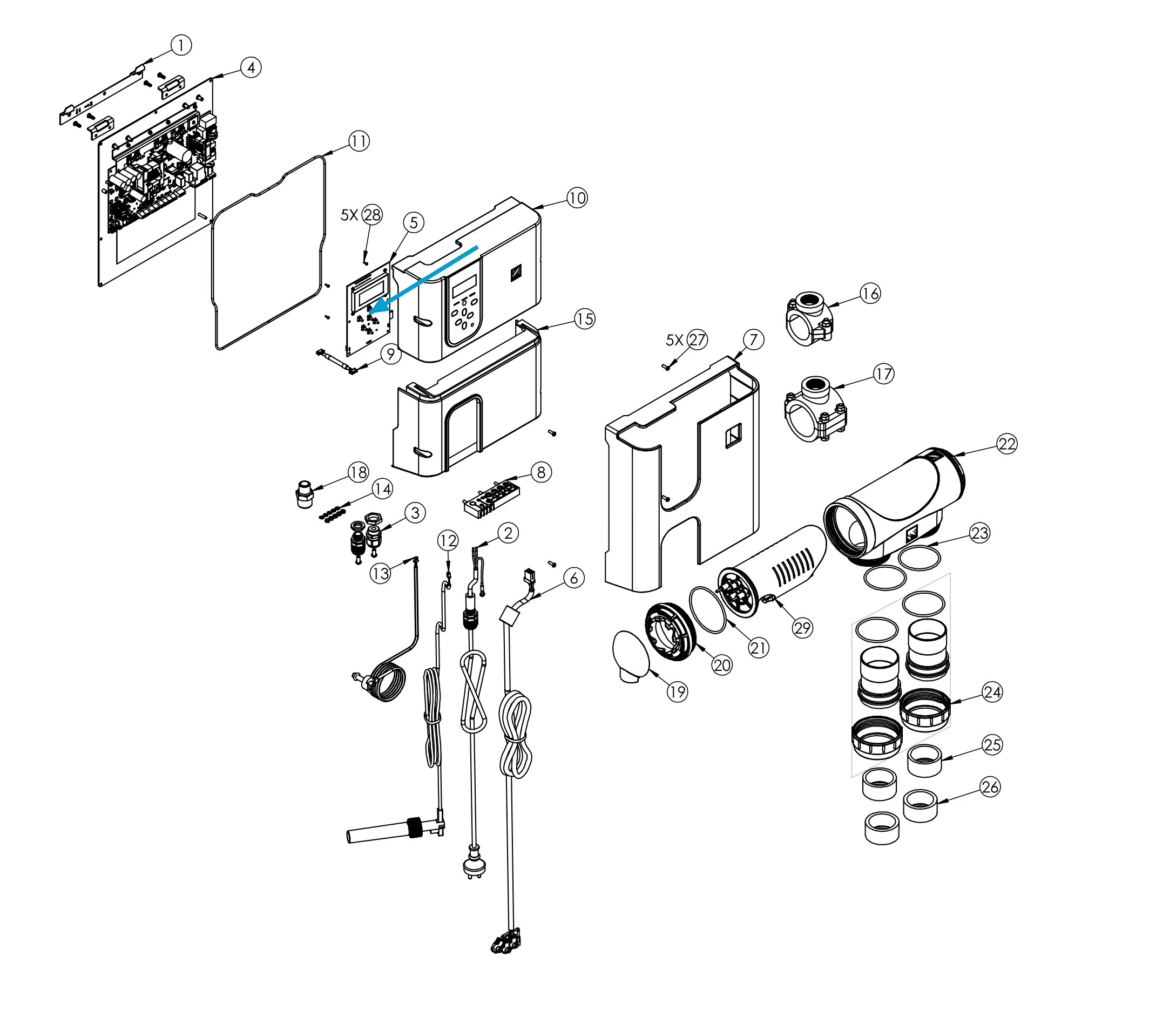
Choosing this part correctly
Compare the model, panel reference and connectors. For versions with Wi-Fi or external automation, the replacement must match the original system configuration.
What to check during replacement
After replacement, check readability, control response and operating settings. A separate panel does not replace the power section or other control boards.
Product rating
Be the first who will post an article to this item!
Discussion
Be the first who will post an article to this item!